Welcome to Paynt
Paynt is a payment acceptance solution that enables merchants to process transactions directly on compatible terminals. Whether you're building a new payment flow or migrating from another provider, our onboarding process is designed to get you live quickly and securely.
Getting your integration into production follows four steps:
- Select your integration type – Choose the approach that best fits your architecture.
- Implement – Build your integration using our tools and documentation.
- Test and certify – Validate that everything works correctly.
- Go live – Deploy to production once certified.
Our team is here to support you at every stage.
Integration Options
Paynt offers two integration types and a standalone mode to accommodate different technical requirements.
EPOS Integration
EPOS integration connects your Point of Sale system, cash register, or order management system to a payment terminal via REST API. The POS sends payment commands over the network, and the terminal displays the payment screen for the customer to complete the transaction.
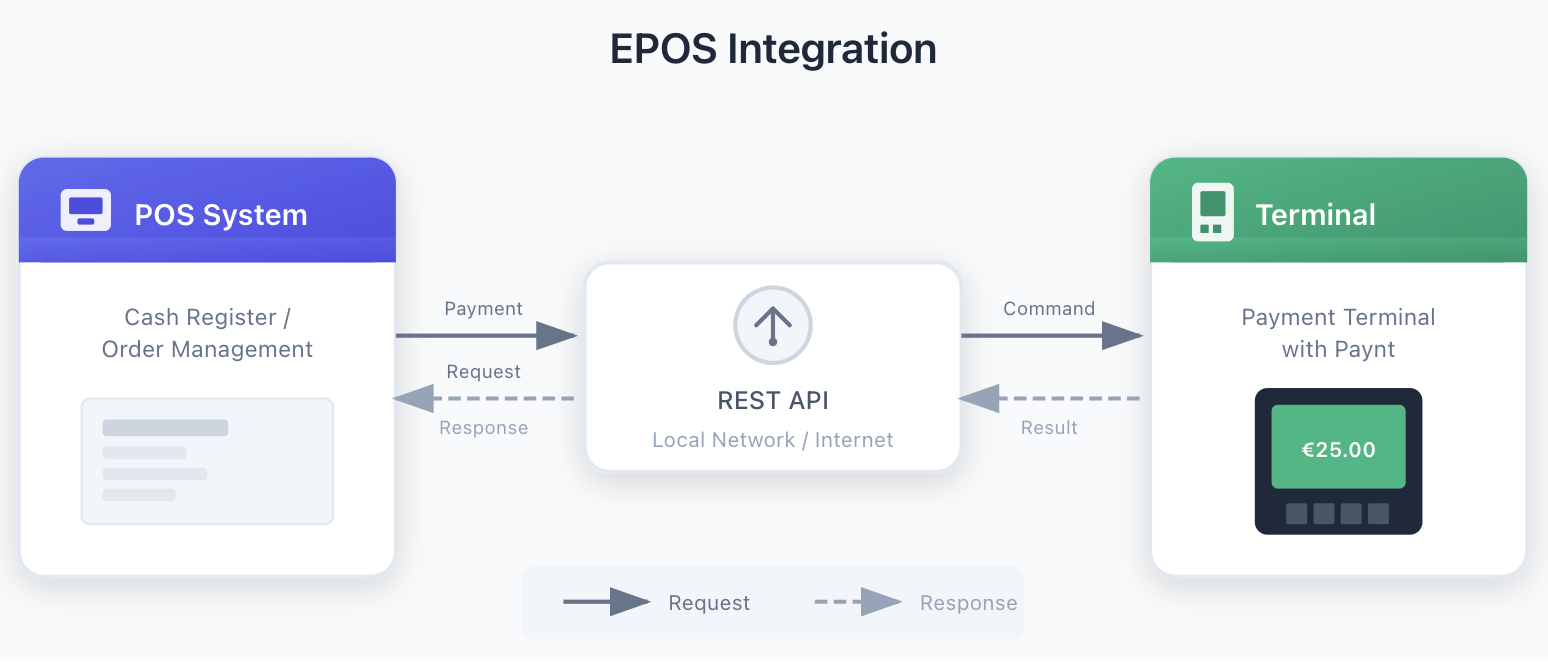
EPOS supports two network configurations:
-
Local network – Devices communicate within the same IP subnet. This is the simpler option when all systems are co-located.
-
Internet-based – The terminal listens for commands from external networks. This requires a static IP address, either through a SIM card with static IP support (recommended) or by connecting to a network with a static IP and configuring smart routing to forward requests to the terminal's port 8080.
App2App Integration
App2App integration allows your Android application to trigger payment processing on the same device. Your app handles product selection and checkout, then hands off to Paynt to complete the transaction—control returns to your app once the payment finishes.
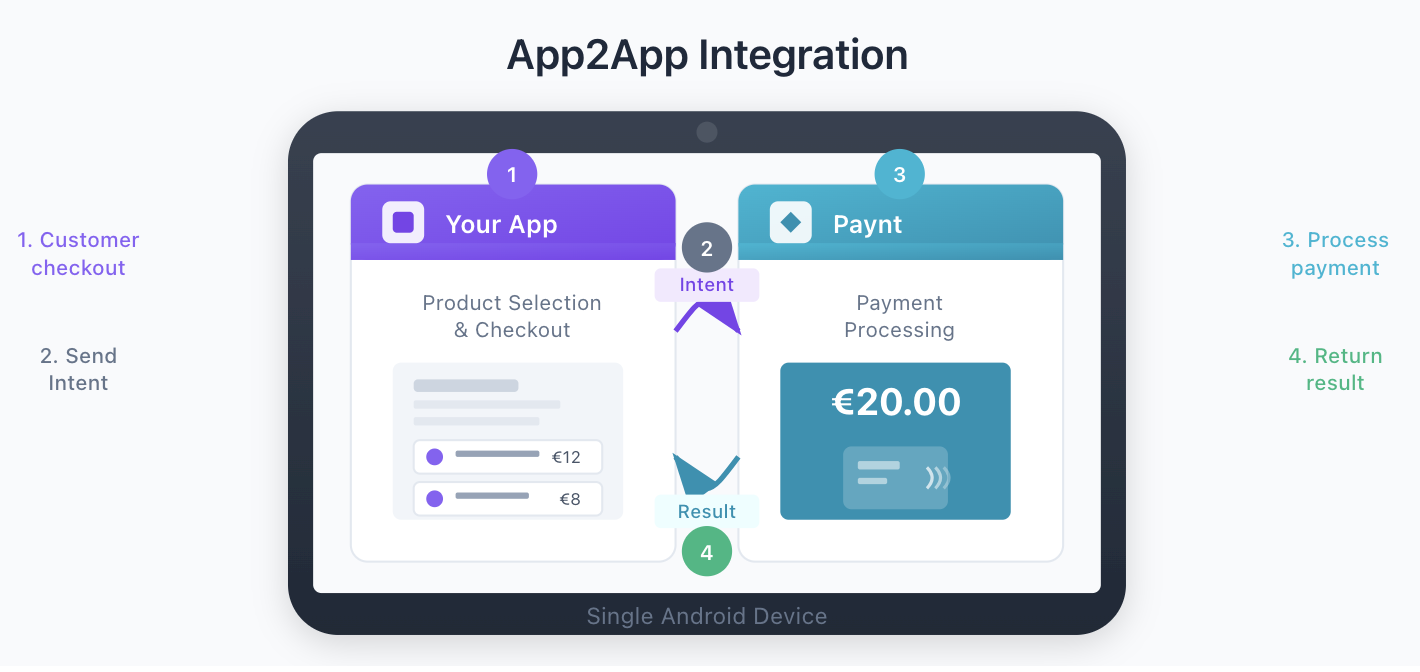
App2App uses Android Intents to coordinate between applications. When your app needs to process a payment, it sends an intent that launches Paynt. After the payment completes, Paynt returns the result back to your app through the same intent-based system.
Standalone Mode
Standalone mode lets the terminal operate independently without connecting to external systems. The merchant enters payment amounts directly on the terminal and hands it to the customer to complete the transaction.
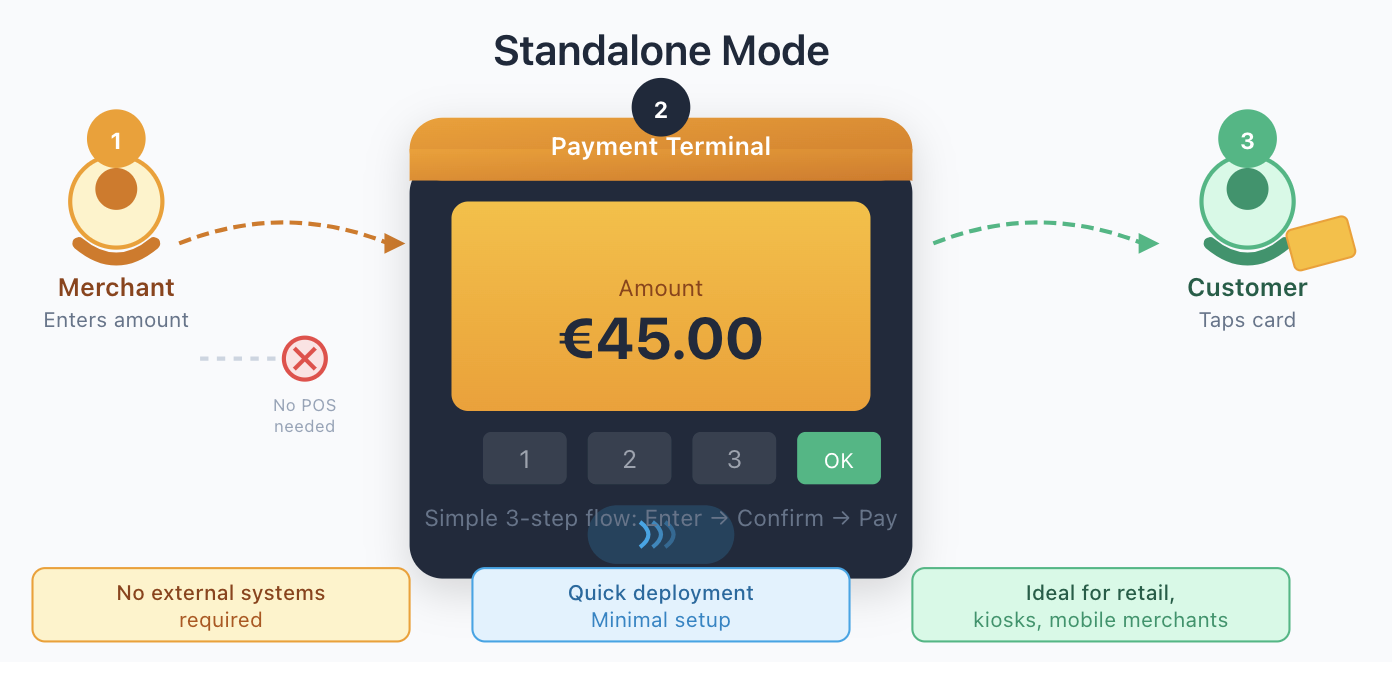
This option suits small retail shops, kiosks, and mobile merchants who need quick deployment with minimal setup.