Process a Refund
A refund returns money to the customer's card.
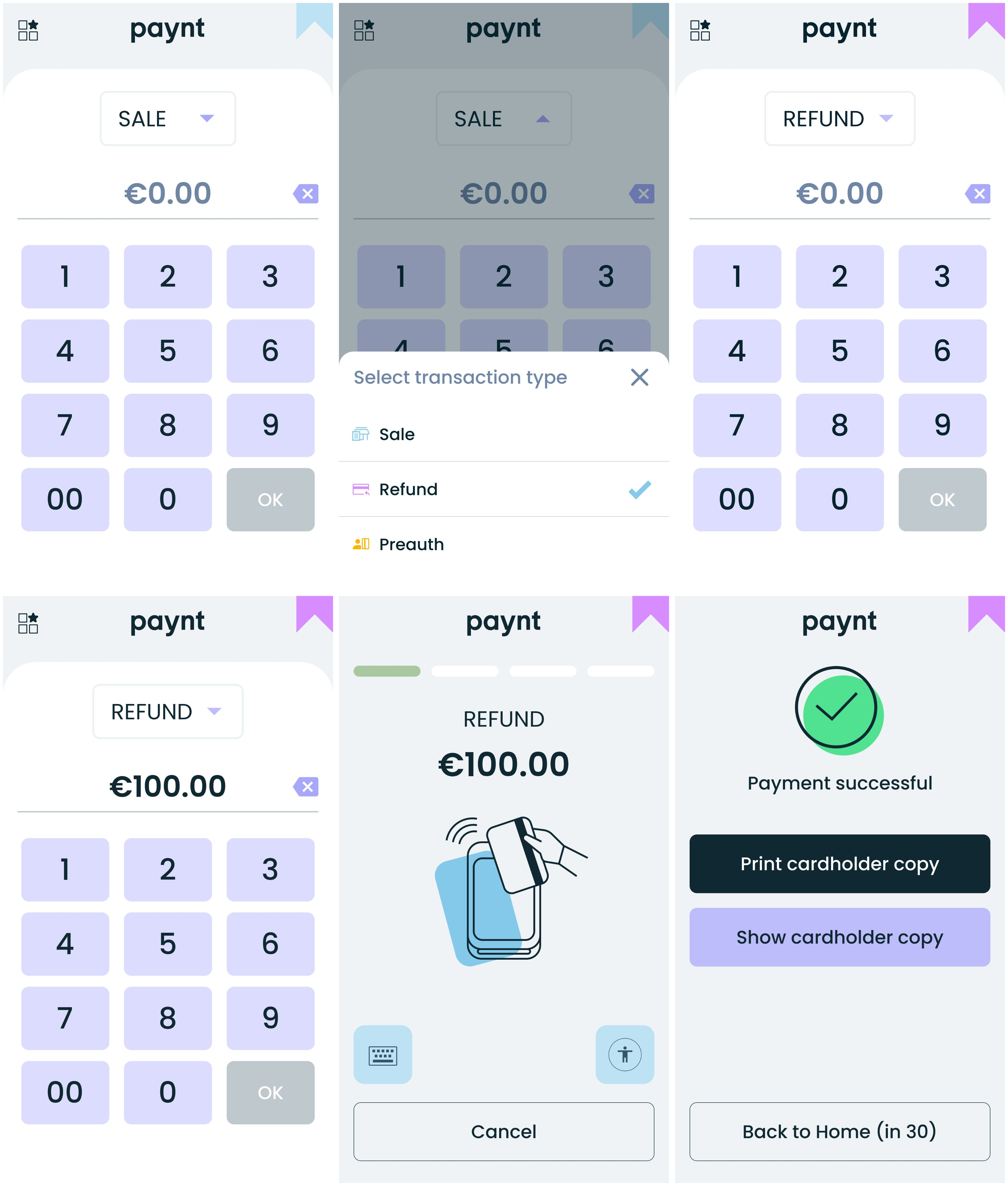
- On the amount entry screen, select Refund from the dropdown.
- Enter the refund amount and press OK.
- Customer presents the card (chip, contactless, or swipe).
- Wait for authorization.
- Transaction receipt prints automatically.
The screens and steps above are shown below.