Void
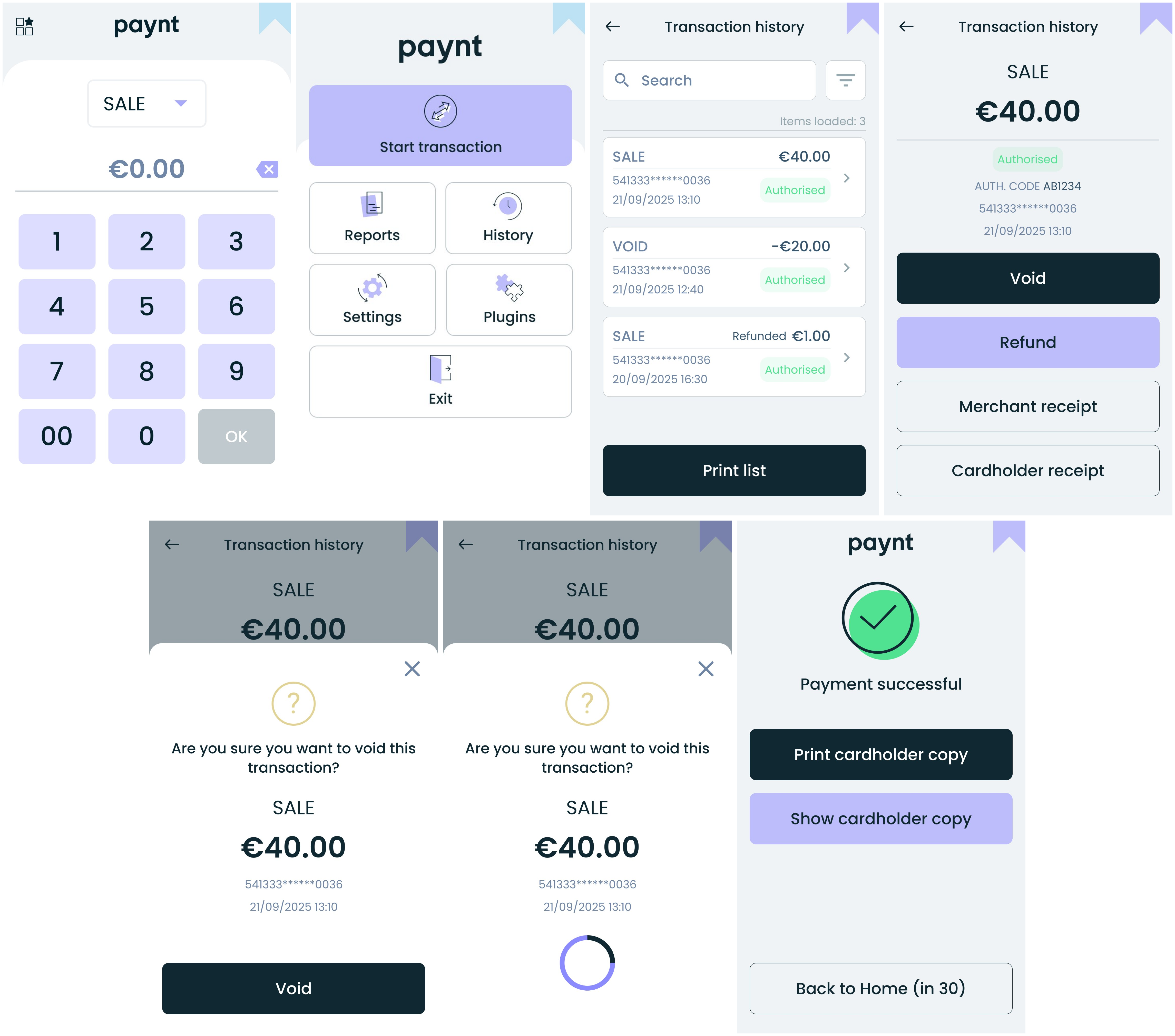
A void cancels a transaction that has not yet been cleared. You can void a Sale, Refund, or Pre-authorization before settlement.
- Go to Transaction History from the Main menu.
- Find the sale you want to void.
- Select the transaction and choose Void.
- Confirm the void.
- Transaction receipt prints automatically.
Note: Clearing is done daily at 01:00 UK time during winter and 02:00 UK time during summer. Transactions can only be voided before clearing.
The screens and steps above are shown below.