Main Menu
This document explains the structure and options available in the Paynt POS main menu.
Accessing the Main Menu
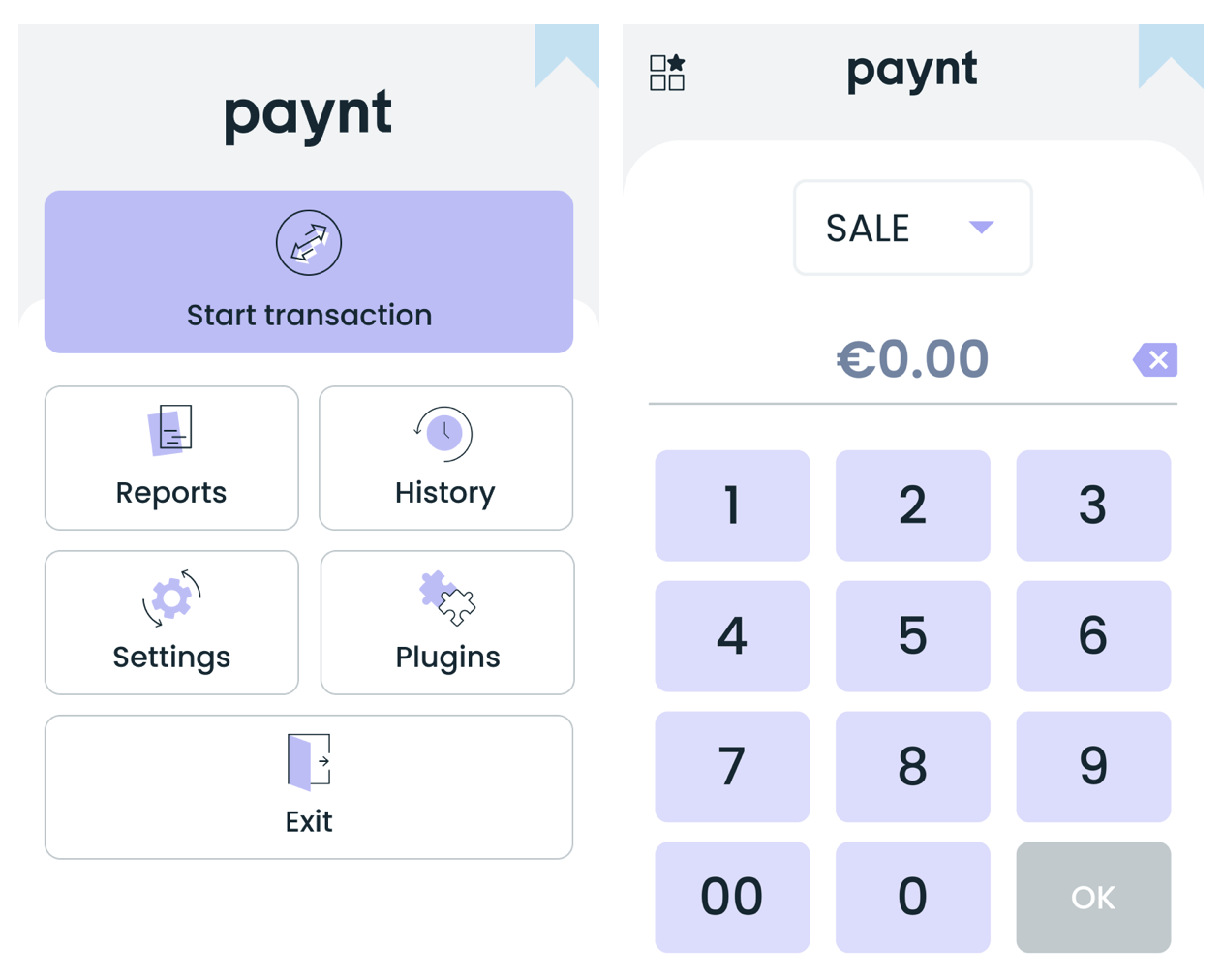
Press on the menu icon in the left upper corner of the screen to access the Main menu.
Menu Structure
The main menu provides access to all administrative and configuration functions:
| Menu Item | Description |
|---|---|
| Transaction History | View past transactions, reprint receipts, void transactions |
| X Report | Generate current totals report (no reset) |
| Z Report | Generate end-of-day report (resets totals) |
| Settings | Access configuration options |
Settings Submenu
The Settings menu contains the following options:
| Setting | Description |
|---|---|
| Connections | Wi-Fi, mobile network, integration status |
| Receipts | Receipt format, custom text, logo |
| Security | Password configuration |
| Plugins | Tipping and other plugins |
Connections Submenu
| Option | Description |
|---|---|
| Wi-Fi | Connect to wireless networks |
| Network / Mobile network | Configure SIM and mobile data |
| Integration status | Enable/disable EPOS integration mode |
| Cycle Keys / Generate Keys | Reset encryption keys |